

Only admins can add data sources.
Overview
When you add a database or warehouse, Basedash asks for its credentials and verifies the connection before saving it. Once connected, Basedash reads the schema so the AI knows which tables and columns exist, and runs queries directly against the source each time a chart or answer needs data. For setup steps for a specific database, see its page under Databases or Warehouses. For SaaS tools, see SaaS connectors.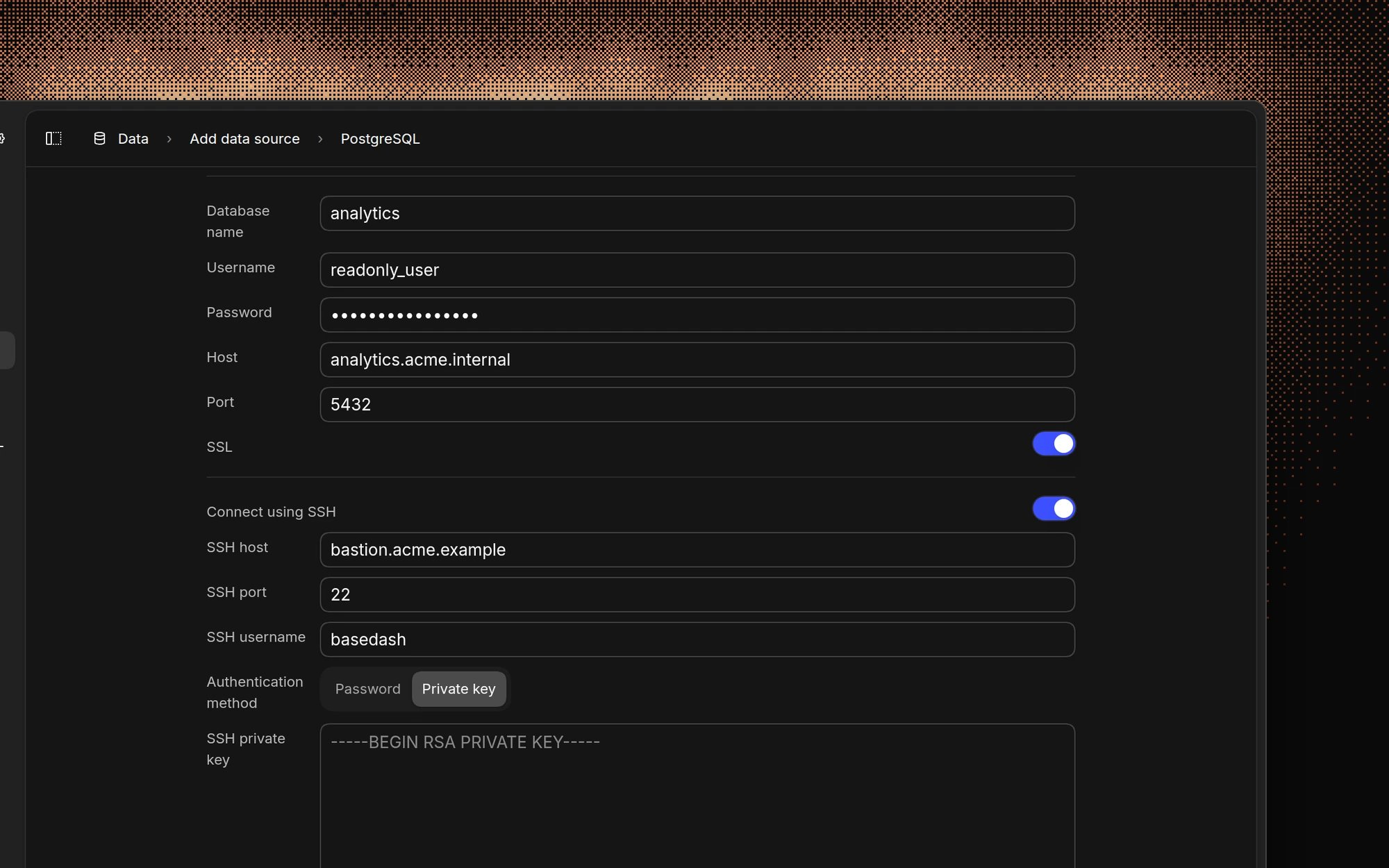
Credentials
Most SQL databases use the same fields:
For PostgreSQL, Supabase, MySQL, and PlanetScale, you can leave the database name empty and pick a database after Basedash connects.
Some sources, such as BigQuery, Snowflake, Athena, and MotherDuck, use service accounts, keys, or tokens instead. See each source’s page.
You can also paste a connection string, such as
postgresql://user:password@host:5432/database, into the command menu (Cmd/Ctrl K) to start adding a data source with the fields filled in.
SSL
Turn on SSL to encrypt the connection between Basedash and your database. Most cloud databases require it. Basedash doesn’t support uploading custom CA or client certificates.Allowlist the Basedash IP
If your database or firewall only accepts known IP addresses, allow connections from:SSH tunnel
Use an SSH tunnel when your database is in a private network that isn’t reachable from the internet. Basedash connects to a bastion host you control, then to the database from there.- Turn on Connect using SSH.
- Enter the SSH host, SSH port (usually 22), and SSH username.
- Choose an Authentication method:
- Private key: paste the private key, and its passphrase if it has one.
- Password: enter the SSH user’s password.
- Allow
24.199.77.73to reach the SSH host.
Manage a data source
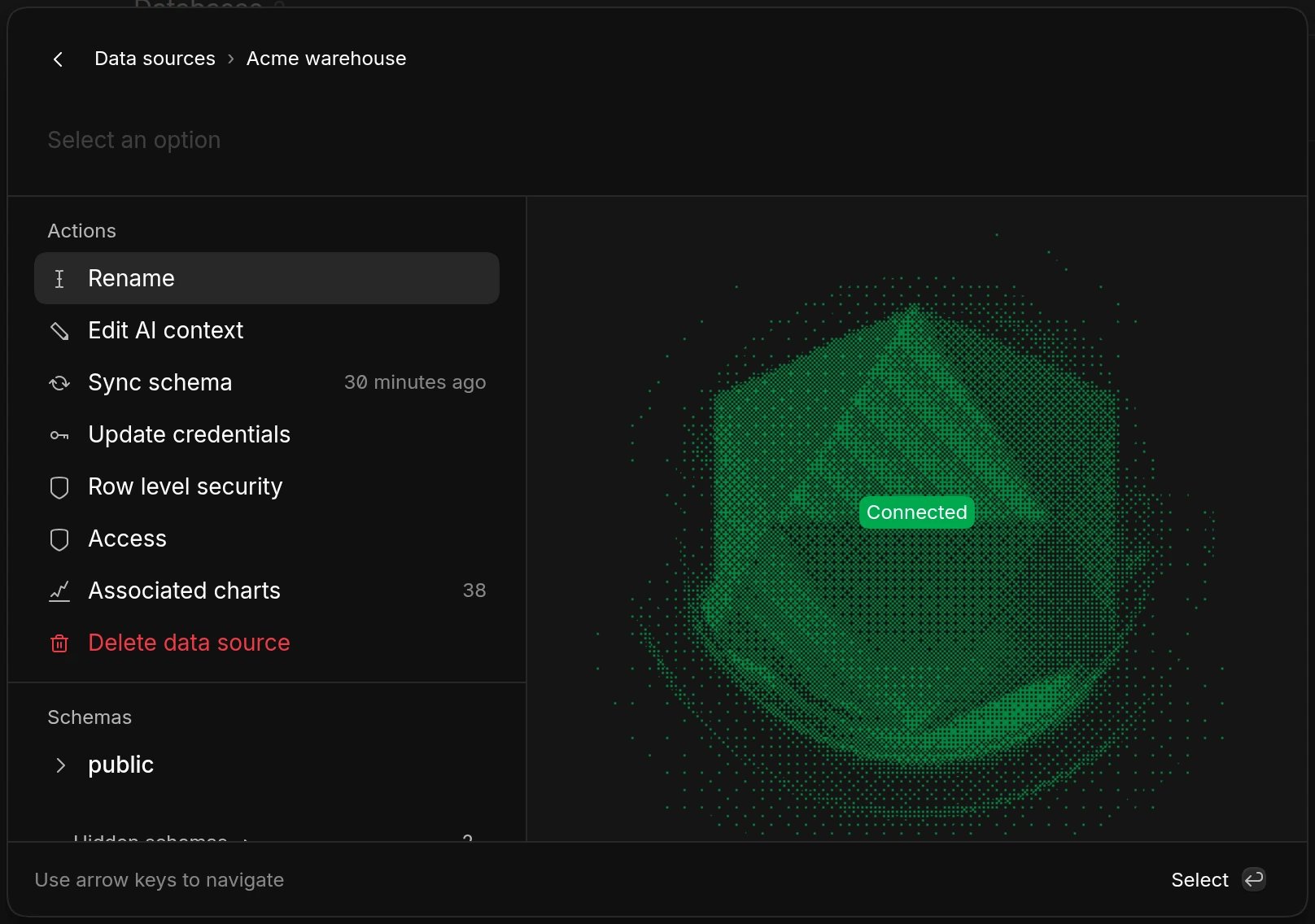
Open the command menu with Cmd/Ctrl K and select a data source to:- Rename it.
- Edit AI context to describe the data source for the AI. See AI context.
- Sync schema to read new or changed tables and columns.
- Update credentials, for example after rotating a password.
- Set up Row level security. See Row-level security.
- Manage Access. See Data source access control.
- See Associated charts that query this data source.
- Delete data source.
Schema sync
Basedash reads your schema when you add a data source and when you click Sync schema. After a sync, Basedash also profiles your tables, collecting approximate row counts, how recent the newest rows are, and sample values for each column, so the AI can write better queries. Profiling is limited in time and skips tables that were profiled recently, so it doesn’t put heavy load on your database. If you add tables or columns and the AI doesn’t know about them yet, run Sync schema.Ignore schemas and tables
Self-hosted deployments can turn on schema ignore patterns to leave schemas or tables out of syncs, for example temporary or staging tables. See Self-hosting.Query timeouts
Queries to PostgreSQL time out after about two minutes. If a chart times out, narrow its date range, add filters, or create a model that pre-aggregates the data.Troubleshooting
When Basedash can’t connect, it shows one of these errors:
If the connection works but tables are missing, make sure the database user has
SELECT permission on those schemas, then run Sync schema.
FAQ
Does Basedash need write access?
Does Basedash need write access?
No. Basedash works with read-only users, and we recommend one. If the user
can write, the AI can propose changes on some databases, but only with your
approval. See Accuracy and
trust.
How often does Basedash query my database?
How often does Basedash query my database?
Basedash queries your database when charts load, when the AI answers a
question, and when automations, insights, or subscriptions run. With query
caching on, charts
show cached results first and refresh in the background.
Can I connect a database on localhost?
Can I connect a database on localhost?
Not from Basedash cloud. The database must be reachable from the internet,
directly or through an SSH tunnel. For fully private networks, consider
self-hosting.
Related
Choose how to connect
Compare direct connections, connectors, and Basedash Warehouse.
Data source access control
Choose who can query each data source.
Security and compliance
How Basedash protects your credentials and data.
Troubleshooting
Fix common problems.